Booking for independent barbers
Give clients a better way to book you.
Give clients an easy way to book. Keep your appointments and earnings in view from one private dashboard. We help set up your page so you can share your link and get back to the chair.
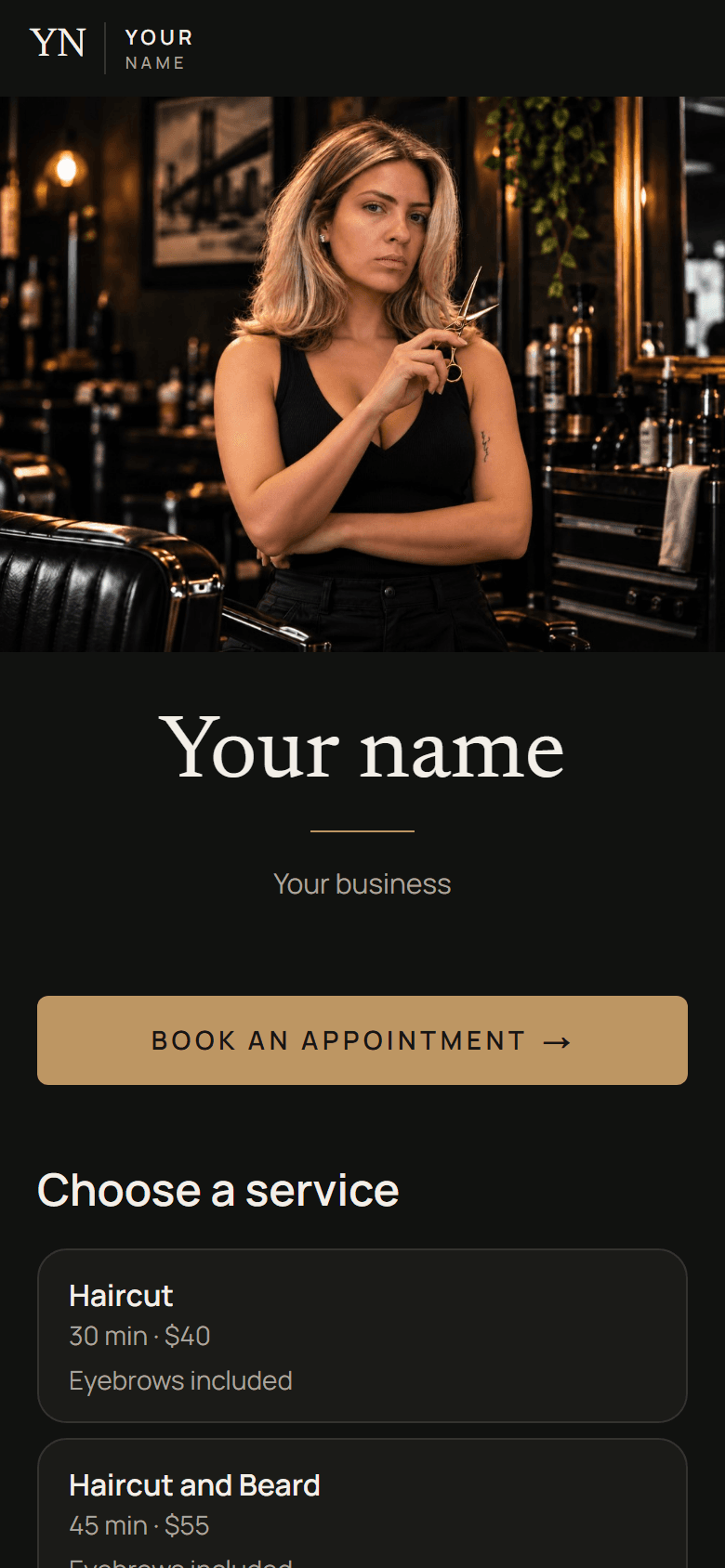
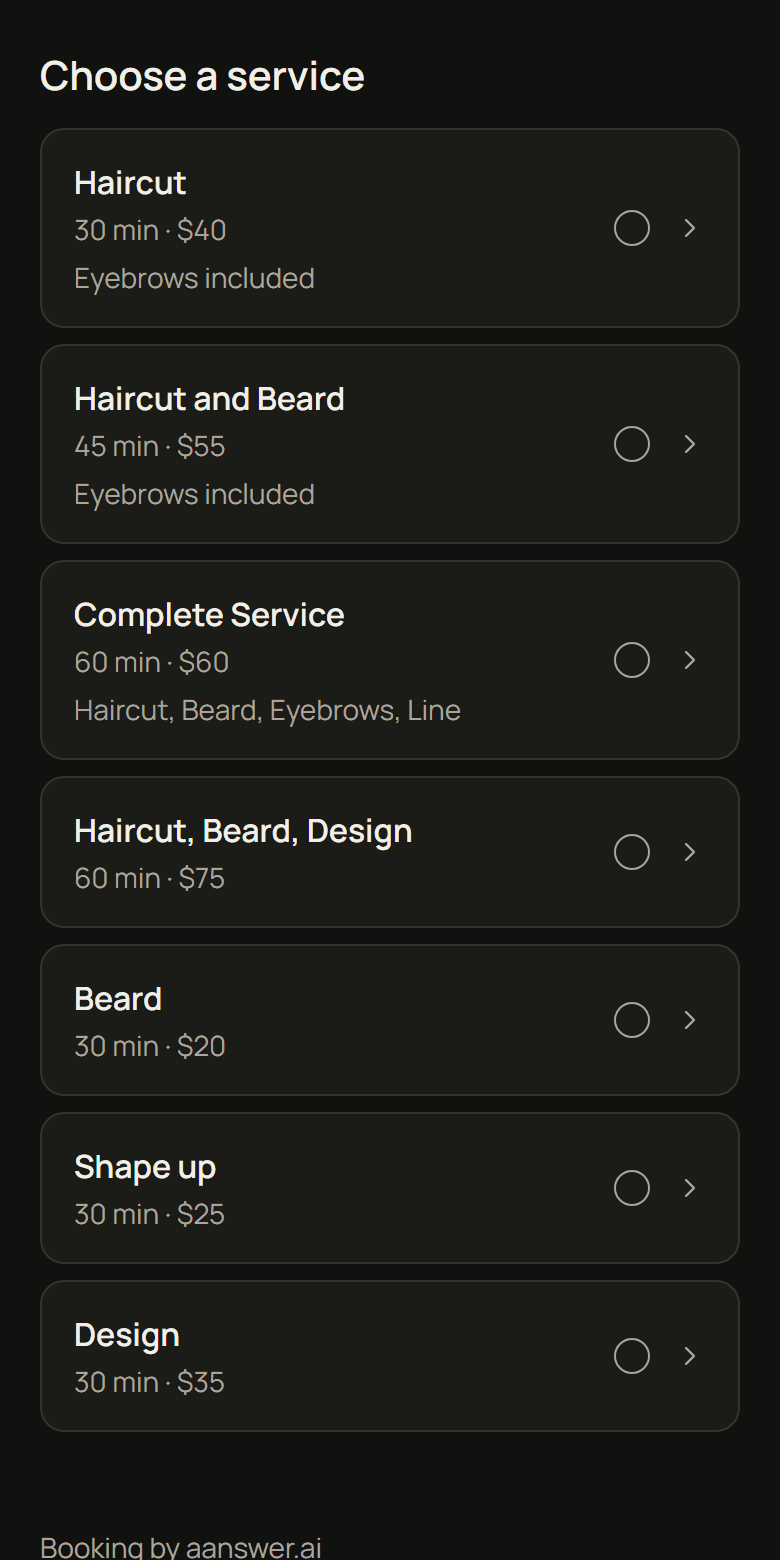
A booking link that does the explaining for you.
Clients see what you offer, what it costs, and when you are free. They choose a service and book from their phone without creating an account.
Your clients choose an open time from your booking page. You see the appointment on your private dashboard, alongside your upcoming clients and the earnings you have recorded.
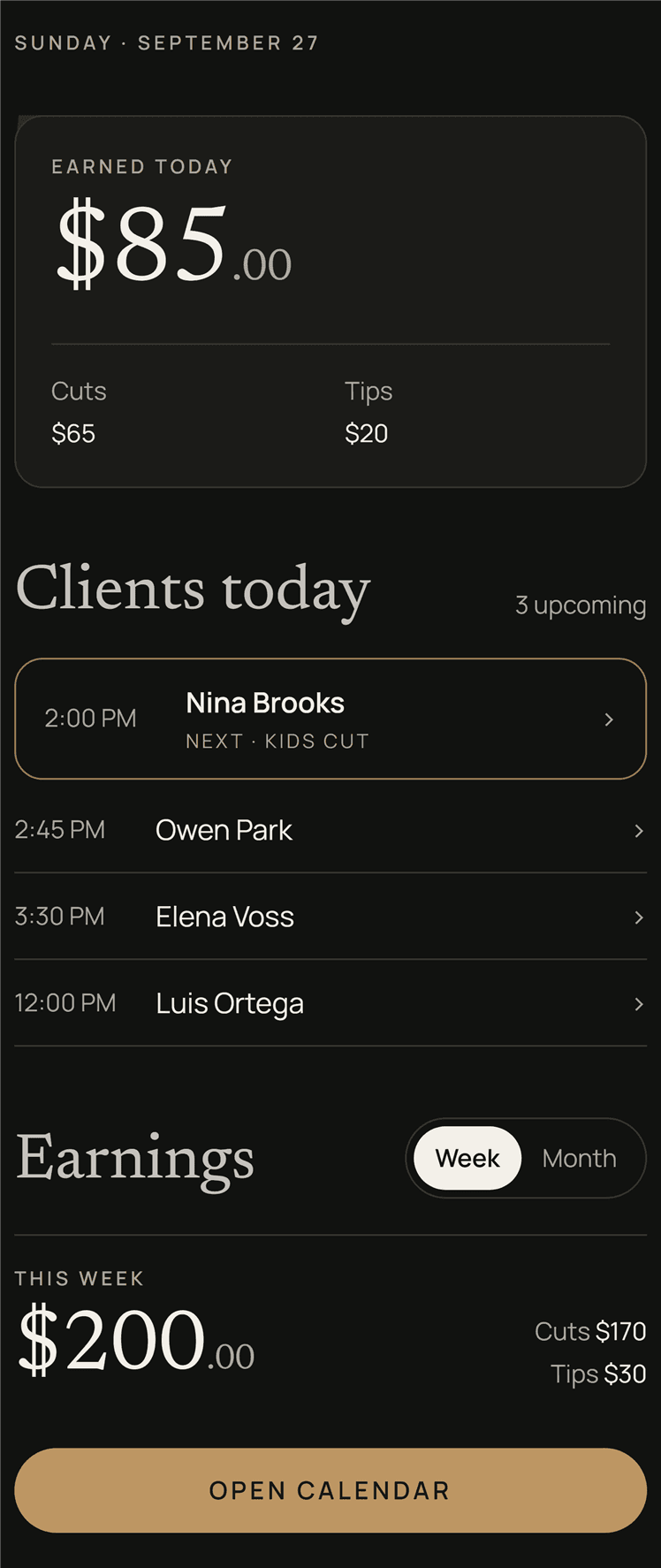
The barber dashboard
Know what is booked. See what you earned.
Open your day and see who is coming in next. Track what you have earned from cuts and tips, then switch between your daily, weekly, and monthly view.
Your schedule and earnings are together, so you can check the day without piecing it together from messages and notes.
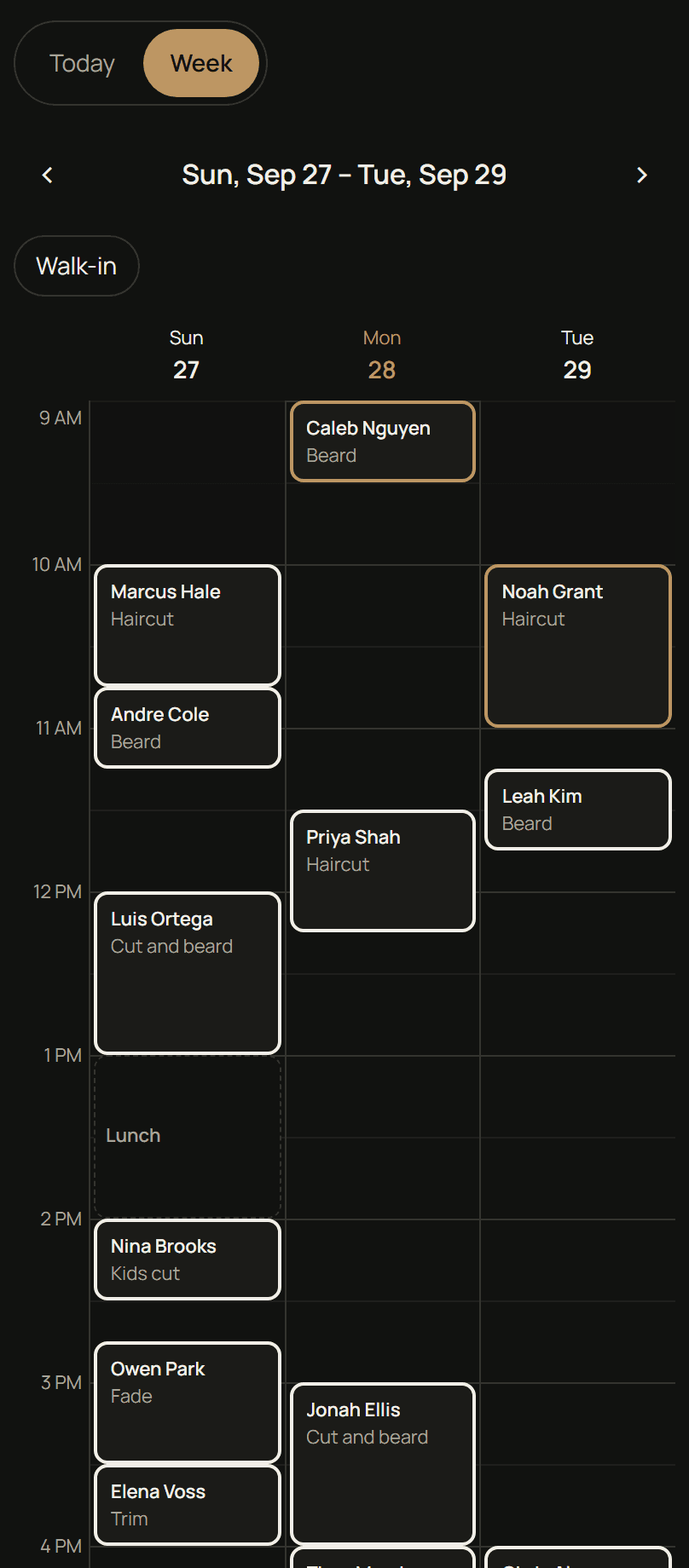
Your day, in one place.
See the appointments coming in. Add one yourself, block off time, and keep your schedule under control. Your clients see available times, not your private calendar.
Send us the details. We will set up the page.
Tell us your services, prices, hours, and the name you want clients to see. We will put your page together and help you get your booking link ready to share.
- Services
- What you offer.
- Prices
- What each one costs.
- Hours
- When you work.
- Name
- The name clients should see.
An example
See what a barber page can look like.
A booking page should feel like the barber behind it. The layout stays easy to use, while the photo, services, and business details make it personal.
Questions
Can clients book without an account?
Yes. They choose a service and an available time, then enter their booking details.
Can I control when clients can book?
Yes. Set your working hours and block time when you are unavailable.
Do I get my own link?
Yes. Your booking page has a direct link you can put in your Instagram bio or send to a client.
Do I need to build the page myself?
No. We help put it together using the services, schedule, photos, and business details you provide.
Can I see what I earned?
Yes. The dashboard shows earnings recorded for your appointments, including cuts and tips, with views for today, this week, and this month. You enter the total collected when a visit is paid. The amount above the service price is the tip. A visit that has not started is not included.
What about appointment texts?
Texts are not turned on yet. They stay off until sender registration for the shop is approved. When they are on, a client can receive a confirmation and one reminder, and you can get an alert when someone books. If a text does not send, the appointment stays on the schedule.
Request Early Access.
This is invite only for now. Tell us about your shop. If it is a fit, we will set up your booking page.